

















I can provide you with information on how to check the status of a trademark application or registration filed with the World Intellectual Property Organization (WIPO).
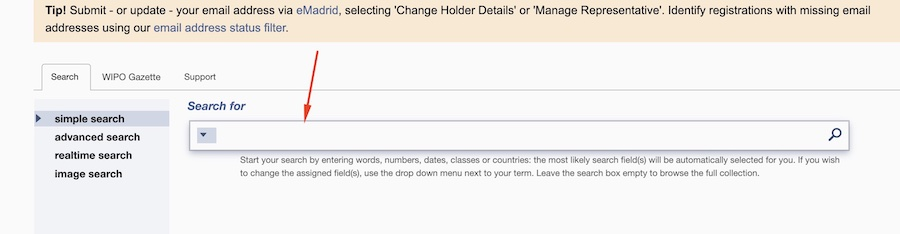
To do so, you can use the WIPO’s MADRID MONITOR. You can start by visiting the WIPO MADRID MONITOR website. Then, in the search box on the home page, you can enter the relevant search criteria for the trademark application or registration that you are looking for, such as the trademark name, registration number, or applicant name, and then click the “Search” button to begin the search.
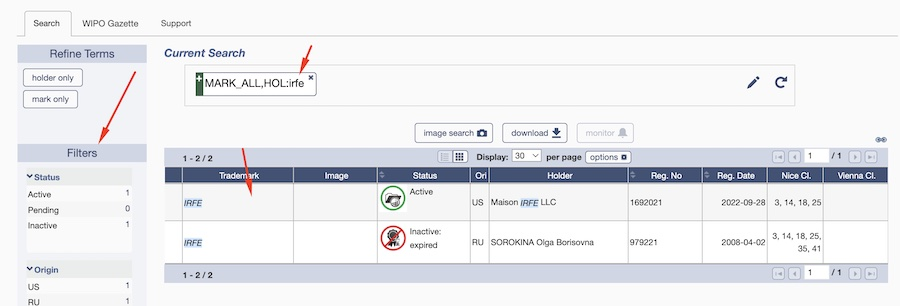
The search results will display a list of trademarks that match your search criteria. You can then click on the trademark that you are interested in to view more details about the trademark, including its status, registration date, and any related documents.
You can use the filters in the left part of the screen to narrow down the search results. You can filter by the base country, by designating WIPO countries, etc.
1. Search term;
2. Filters
3. Results
The Madrid Monitor provides real-time updates on the status of international trademark applications and registrations, including information on the application/registration status, renewal status, and changes in ownership.
For trademark applications, the WIPO status may include the following stages:
- Application Received: WIPO has received the application and assigned it an application number.
- Formalities Check: WIPO checks the application to ensure that all required information and documents have been submitted.
- Examination: WIPO examines the application to determine if it meets the requirements for registration.
- Published: The trademark application is published in the WIPO Gazette of International Marks.
- Opposition: Third parties have an opportunity to oppose the registration of the trademark during a set time period.
- Registration: If the trademark application is approved and no opposition is filed, the trademark is registered and a certificate of registration is issued.
How to check the status of your WIPO application?
Once you find the correct application on the Madrid Monitor website, you get access to all the documents related to this WIPO mark and you can see status updates in different countries.

A fast way to check the status of your application in multiple countries is to use the buttons on the above image: Statement of Grant or Refusal. As the names indicate, Statement of Grant will show all countries your mark is accepted. Refusal will show all the countries your mark was refused.

Some countries will not be highlighted, this means that the process of registration is still ongoing.
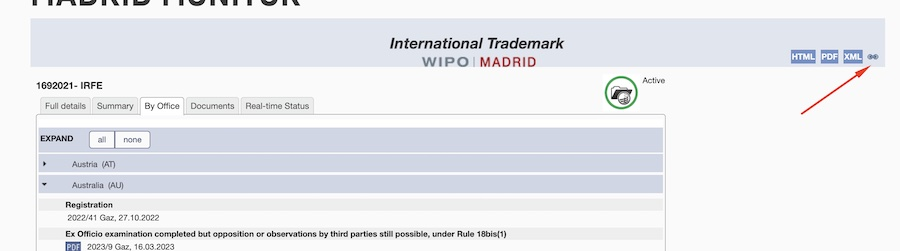
If you go to the tab “By Office,” you can get more information about the status of your application and download all important documents related to your trademark application.
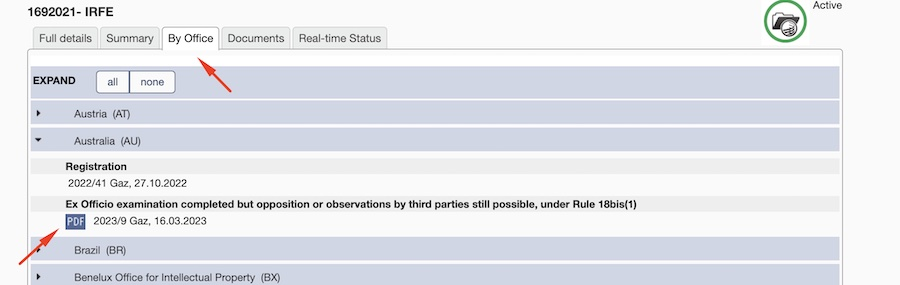
On the tab “Documents,” the system will show only the countries where you have any available documents.
The tab “Real-time Status” shows the registration process of your trademark from the filing date to the actual date. It will show when and where your mark was registered or refused. This is a convenient way to track the progress of your application.
Finally, you can save a direct link to your application to get to it directly without using the Madrid Search.
Using this tool, you can always access the most up-to-date information about your trademark. You can download all important documents and never miss a deadline.